This function is available only if you have both Google Analytics and Google Search connectors licensed, plus you are running 64-bit Excel.
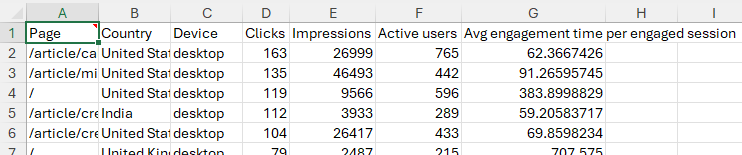 This function is part of the Google Analytics connector, but it uses accounts from the Google Search connector as well.
Note that the GA data is filtered by session source / medium so it reflects organic search, AI referrals, and selected other sources (like direct). This filter expression can be changed.
Accounts
Sign in with Google – add a new account to the connector. GSC and GA4 accounts are independant.
Accounts – select a saved account to use for this query. With the selected account, you can:
- Refresh – update the saved account credentials by logging in again.
- Delete – remove the account from your computer.
- or value – enter an account reference name or a cell reference to it. A cell reference button is included to assist.

GSC Website – select the website or domain for the report
- or value – enter a website or domain reference, or a cell reference to it. A cell reference button is included to assist.
GA Account – select the Google Analytics account to use for the query
GA Property – select the Google Analytics 4 property
- or value – enter an account id number with a property id number or a cell reference to it. A cell reference button is included to assist.
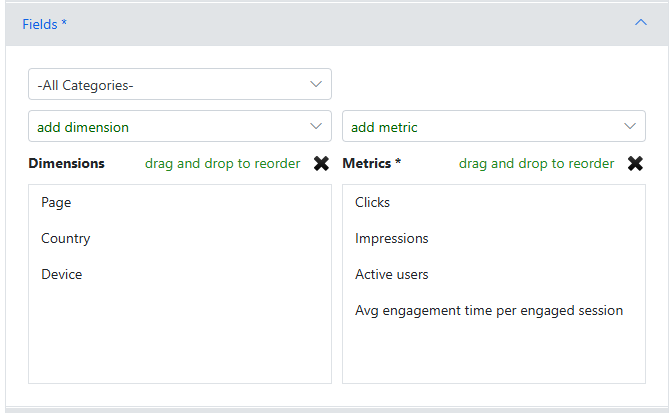
Fields
Categories – GA has a lot of metrics available, so you can restrict the list shown to a specific category.
Dimensions / Metrics – Click on ‘add dimension’ or ‘add metric’ to select dimensions or metrics for the report. Start typing to filter the list.
Drag-and-drop fields in the lists to change the order, or select fields and the X to remove them.
Dates
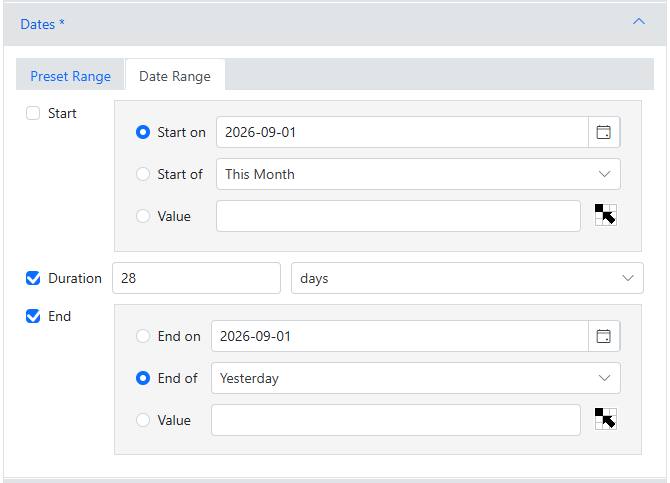
Select a preset range, or select a date range by specifying 2-of the Start, Duration, or End dates.
Start/End Dates can be specified by selecting a specific date, picking a generic ‘Start/End of’ a period, or enter a value or cell reference to a value.
Filters
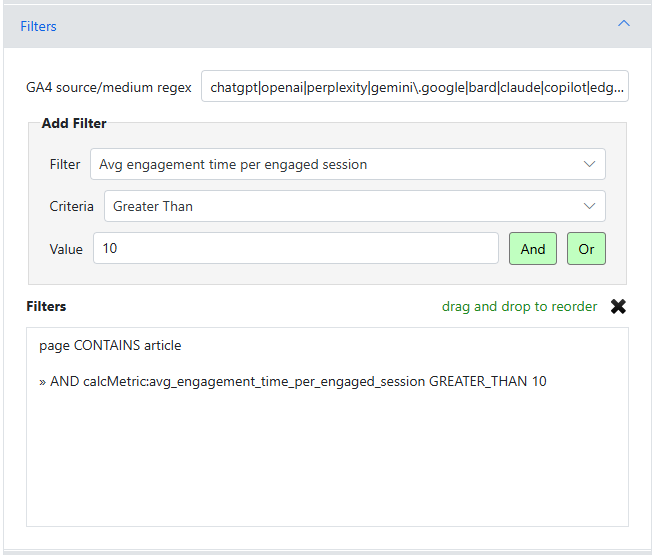
GA data can be filtered by Session Source / Medium using a regular expression. By default, it will filter for organic traffic, common AI referrals and includes direct traffic.
Other filters can be added using AND/OR logic (AND precendence) — they apply to the combined data.
Sort / Count
Sorting rules can be enter by selecting a field, then clicking Ascending or Descending as desired.
Entered rules can be rearranged using drag-and-drop, or selected and deleted by clciking the X.
Count – enter the maximum number of rows to retrieve. Leave empty or enter 0 for all rows.
